
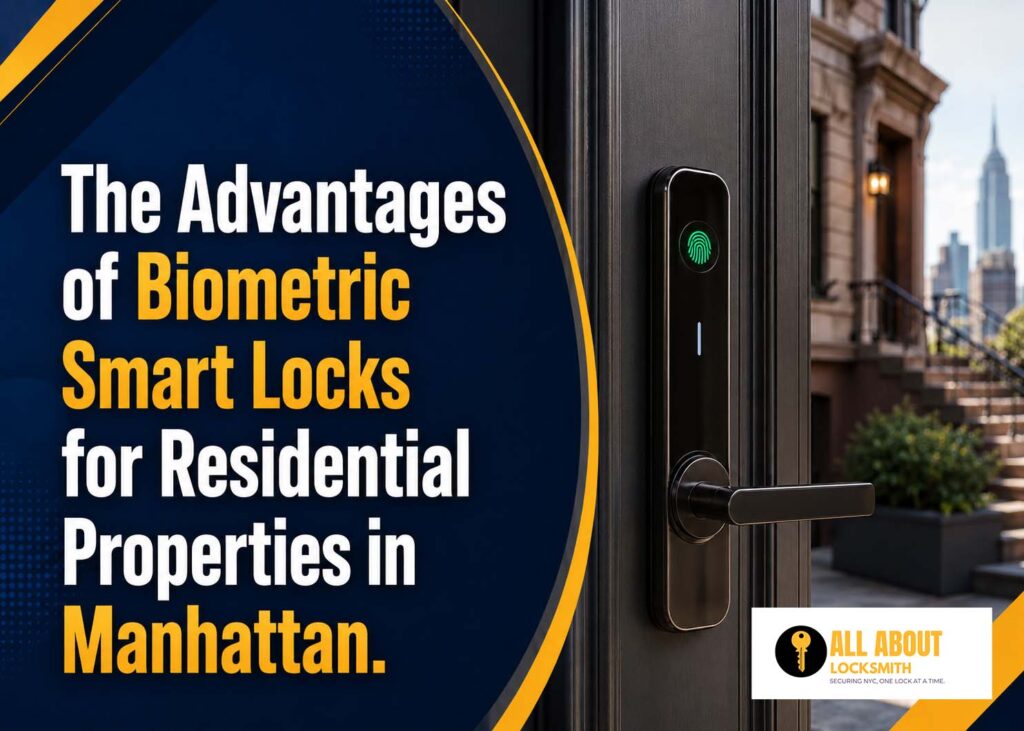
Keys get lost. Codes get shared. Phones run out of battery. A biometric lock removes many of these daily access problems by using a fingerprint or another approved physical feature to unlock the door.
Biometric smart locks Manhattan homeowners install can provide fast entry without requiring a key, card, or memorized code. They can also let property owners control who has access and remove a user without changing the entire lock.
The technology still needs the right door, hardware, setup, and backup plan. A biometric reader cannot fix a weak frame or a deadbolt that does not align correctly.
TL;DR
- Biometric locks use fingerprints or other approved physical features for entry.
- They reduce dependence on keys, cards, phones, and shared codes.
- Individual users can often be added or removed without changing the lock.
- The door and deadbolt must work smoothly before installation.
- Every biometric system should include a reliable backup entry method.
Objective
This guide explains how biometric smart locks work and why they can be useful for Manhattan homes. It covers access control, convenience, security, installation, privacy, costs, and the factors homeowners should review before choosing a system.
Key Takeaways
- Fingerprint entry is fast and difficult to forget.
- Each approved person should have an individual profile.
- Biometric access can be removed without rekeying the lock.
- Scanner quality and outdoor performance vary by product.
- A physical key, keypad, or emergency power option should remain available.
- Professional installation helps prevent alignment and setup problems.
- Biometric data and app permissions should be managed carefully.
Table of Contents
- What Is a Biometric Smart Lock?
- Main Advantages of Biometric Entry
- Where Biometric Locks Work Best in Manhattan Homes
- What to Check Before Buying
- How Biometric Lock Installation Works
- Security and Privacy Considerations
- Biometric Smart Lock Costs
- Frequently Asked Questions
What Is a Biometric Smart Lock?
A biometric smart lock identifies an approved person through a physical characteristic. Most residential models use fingerprints because they are quick to scan and easy to register.
Some advanced systems may also use facial recognition, palm scans, or other forms of identification. Fingerprint locks remain the most common option for residential doors.
A biometric lock may include several entry methods:
- Fingerprint scanner
- Numeric keypad
- Mobile phone app
- Bluetooth access
- Wi-Fi control
- Physical backup key
- Access card or fob
- Emergency power connection
The fingerprint reader is only one part of the lock. The deadbolt, motor, mounting hardware, batteries, app, and backup entry method must also work correctly.
Main Advantages of Biometric Smart Locks Manhattan Homeowners Choose
Biometric entry is useful because it connects access to an approved person instead of an object that can be lost or shared.
No Key to Carry
A fingerprint cannot be left at work, dropped on the street, or locked inside the apartment.
This makes biometric entry useful for residents who exercise outdoors, walk dogs, carry children, or regularly forget physical keys.
A backup key may still be included, but it does not need to be the main entry method.
No Code to Remember
Keypad locks are convenient, but some people forget codes or enter them incorrectly.
A fingerprint scan removes the need to remember several numbers. This may help children, older residents, and households already managing several security codes.
Faster Entry
Fingerprint access can unlock a door within seconds when the reader works correctly.
This is useful in apartment hallways, shared entrances, and homes where residents want quick access without taking out a phone or searching through a bag.
Individual User Access
Each household member can receive a separate fingerprint profile.
The owner may be able to see which approved user opened the door and at what time. The available information depends on the lock and its app.
Easier Access Removal
A physical key can be copied. A shared code may be known by several people.
A biometric profile can usually be deleted through the lock or app. This helps after a roommate moves out, a caregiver changes, or a contractor no longer needs entry.
Reduced Dependence on Shared Keys
Families often make several copies of the same key. Over time, it becomes difficult to know who still has one.
Biometric access reduces the number of physical keys in circulation. This gives the homeowner better control over entry.
Useful Backup for Other Smart Features
A resident may normally use a phone to unlock the door but rely on a fingerprint when the phone is unavailable.
A lock with fingerprint, keypad, app, and key access provides several ways to enter without depending on one method.
Where Biometric Smart Locks Work Best in Manhattan Homes
Biometric locks can work in several residential settings, but the property type and building rules matter.
Condominiums
Condo owners may want keyless access without changing the entire building system.
The unit door may still need to meet building requirements. Some condo boards require management access, approved hardware, or an unchanged exterior appearance.
A Residential locksmith Manhattan homeowners consult can check whether a biometric deadbolt, retrofit lock, or another system is suitable.
Cooperative Apartments
Co-op buildings may have stricter rules about door hardware.
Residents should confirm approval before replacing a lock. The building may require a specific cylinder or access method for emergencies.
A professional locksmith can explain what parts of the lock can be changed while keeping required building access.
Rental Apartments
Tenants should ask the landlord before changing the existing lock.
A retrofit biometric lock may preserve the exterior key cylinder, but permission may still be required. The landlord may also need a working backup key.
Townhouses
Townhouses may have several entrances, including front doors, garden-level doors, basement entrances, and rear doors.
Installing biometric access on every door may not be necessary. The main entrance may benefit from smart access, while less-used doors keep high-quality mechanical locks.
Homes With Children
Children may lose keys or forget codes.
A registered fingerprint gives them controlled access without requiring them to carry anything. Parents should still teach children what to do if the scanner fails.
Homes With Caregivers
Caregivers can receive individual access without being given the family’s main key or code.
Their profile can be removed when the arrangement ends.
Short-Term and Frequent Guests
Biometric locks are less practical for one-time visitors because each fingerprint must be registered.
A lock that also supports temporary keypad codes may work better for guests, cleaners, and contractors.
How Biometric Locks Improve Residential Access Control
Good access control means knowing who can enter, when they can enter, and how quickly their access can be removed.
Each Person Gets a Separate Profile
One shared code does not show who used it. Individual biometric profiles make access more specific.
The homeowner can approve each person separately.
Users Can Be Removed Without Changing the Lock
Deleting a fingerprint profile usually takes less work than rekeying a cylinder.
This is useful after:
- Roommate changes
- Tenant turnover
- Caregiver changes
- Contractor work
- Household staffing changes
- Relationship changes
The physical backup key should still be reviewed if that person had a copy.
Entry History May Be Available
Some locks record which user opened the door and when.
This may help parents, rental owners, or homeowners managing regular service providers.
Entry records should not be treated as a complete security system. Cameras, alarms, lighting, and strong door hardware still have separate roles.
Remote Management May Be Possible
Connected biometric locks may allow the owner to add users, remove profiles, review activity, and check lock status through an app.
Remote functions may require Wi-Fi, a hub, or a cloud account.
What to Check Before Buying a Biometric Smart Lock
Not every fingerprint lock is suitable for an exterior residential door.
Door Compatibility
Check:
- Door thickness
- Lock borehole
- Backset
- Deadbolt size
- Existing lock type
- Interior clearance
- Exterior trim
- Storm door clearance
- Frame condition
- Strike plate alignment
Older Manhattan doors may use mortise locks or non-standard hardware. A common consumer deadbolt may not fit without modification.
Scanner Position
The scanner should be easy to reach for every approved user.
A reader installed too high, too low, or close to another handle may be uncomfortable to use.
User Capacity
Check how many fingerprints the lock can store.
A household may need profiles for:
- Residents
- Children
- Relatives
- Caregivers
- Property managers
- Regular service providers
Some locks store fewer users than expected.
Outdoor Rating
Exterior locks face rain, humidity, dust, heat, and cold.
Choose a model designed for outdoor residential use. Indoor cabinet or office fingerprint locks should not be installed on an exterior entrance.
Reading Speed and Accuracy
A poor scanner may require several attempts.
The lock should recognize registered users quickly while rejecting unapproved fingerprints. Product quality, finger placement, moisture, dirt, and skin condition can affect performance.
Backup Entry
Every biometric lock needs a backup plan.
Possible backup methods include:
- Physical key
- Numeric code
- Mobile app
- Access card
- Emergency battery contact
- USB power connection
- Secondary entrance
The household should test the backup method during installation.
Battery Warnings
The lock should provide enough warning before the batteries fail.
Check whether warnings appear through the app, keypad lights, sound, or another indicator.
Offline Operation
Ask which features continue working without Wi-Fi or internet service.
Fingerprint entry should usually work locally, but remote control and notifications may stop.
App and Account Control
The homeowner should control the administrator account.
Use a strong password and enable additional account protection where available. Remove old phones and users promptly.
Smart Lock Installation Manhattan: How the Process Works
Professional installation should cover the door, hardware, electronics, and user setup.
Step 1: Door Inspection
The locksmith checks the existing lock, door thickness, alignment, frame, strike plate, and available clearance.
Any sticking or dragging should be corrected before the new lock is installed.
Step 2: Product Compatibility
The selected biometric lock is compared with the door measurements and household needs.
If the product does not fit, the locksmith should recommend a suitable option instead of forcing the installation.
Step 3: Existing Lock Removal
The old hardware is removed carefully.
The locksmith checks for damaged holes, loose screws, cracked wood, and earlier modifications.
Step 4: Door and Strike Adjustment
The deadbolt should enter the frame without resistance.
A motorized lock that pushes against a misaligned strike can drain batteries and fail to lock fully.
Step 5: Biometric Lock Installation
The exterior scanner, interior housing, deadbolt, mounting plate, cable, and batteries are installed.
The hardware should sit firmly against the door without movement.
Step 6: Fingerprint Registration
The administrator fingerprint is registered first.
Each regular user should then enroll their finger according to the manufacturer’s instructions. Some systems ask the user to touch the scanner several times from different angles.
Step 7: Backup Access Setup
The keypad, app, key, card, or emergency power option is configured and tested.
A backup that has not been tested is not a reliable backup.
Step 8: Final Testing
The installer should test:
- Approved fingerprints
- Unapproved fingerprints
- Manual locking
- Interior unlocking
- Keypad access
- App access
- Physical key
- Auto-locking
- Door alignment
- Low-battery alerts
- Emergency power
Why Professional Biometric Lock Installation Manhattan Matters
Biometric locks add electronic controls to a mechanical entry point. A problem with either side can cause a lockout.
Correct Door Alignment
A fingerprint may be accepted while the deadbolt fails to extend.
A locksmith checks the bolt and strike plate before relying on the electronic motor.
Secure Mounting
Loose mounting screws can cause movement, poor cable connection, and unreliable locking.
The exterior and interior parts should remain firmly connected.
Proper Fingerprint Registration
Poor enrollment can lead to repeated failed scans.
The installer can show each user how to place a finger correctly and register more than one finger if the lock allows it.
Reliable Backup Entry
The locksmith tests the backup key, code, app, or emergency power method.
This prevents a battery problem from becoming an emergency lockout.
Privacy Setup
The administrator should know how to add users, remove fingerprints, review activity, and reset the system.
Installer or temporary access should be removed unless the homeowner approves it.
Security and Privacy Considerations
Biometric access is convenient, but homeowners should understand how their information is handled.
Where Fingerprint Data Is Stored
Some locks store fingerprint templates on the device. Others may use an app or connected account.
Review the product information to understand whether data stays locally or is connected to a cloud service.
Fingerprints Are Usually Stored as Templates
Most systems do not store a normal photograph of the fingerprint. They create a digital template based on selected points.
Still, homeowners should review the manufacturer’s privacy and security practices.
Use More Than One Approved Finger
Registering two fingers may reduce lockouts caused by a cut, bandage, wet hand, or poor scan.
Do not register unnecessary users.
Remove Old Profiles
Delete access as soon as someone no longer needs it.
The user list should be reviewed regularly.
Protect the Administrator Account
The main account may control access, settings, and activity records.
Do not share the administrator password. Remove old phones and enable available security protections.
Keep a Mechanical Security Plan
Electronic access does not replace a strong deadbolt, secure strike plate, solid door, and sound frame.
A weak frame remains a weak frame even if the lock uses fingerprint access.
Biometric Locks vs. Other Smart Lock Options
| Entry Method | Main Benefit | Main Limitation |
| Fingerprint | Fast entry without keys or codes | Scanner performance can vary |
| Keypad | Easy temporary and guest access | Codes can be shared |
| Mobile app | Remote control and notifications | Phone or network may be unavailable |
| Physical key | Simple and familiar backup | Keys can be lost or copied |
| Card or fob | Easy individual access | Credentials can be lost or shared |
| Facial recognition | Hands-free access on supported systems | Higher cost and privacy concerns |
A lock with more than one entry method often provides the best balance.
Fingerprint access may serve residents, while keypad codes are used for guests and a physical key remains available for emergencies.
How Much Does Biometric Lock Installation Cost in Manhattan?
The total cost depends on the lock, door, installation work, and connected features.
Price factors include:
- Biometric lock model
- Number of stored users
- Full replacement or retrofit installation
- Existing lock type
- Door thickness
- New drilling
- Deadbolt alignment
- Frame or strike repair
- App setup
- Wi-Fi hub or bridge
- Backup cylinder rekeying
- Additional doors
- Emergency service timing
A basic fingerprint deadbolt on a standard door generally requires less work than a connected biometric system installed on an older custom entrance.
Ask whether the product has ongoing costs. Some cloud features, activity storage, remote management, or property tools may require a subscription.
A clear quote should separate hardware, labour, door adjustments, setup, and optional upgrades.
Common Biometric Lock Problems
Biometric locks can fail for mechanical or electronic reasons.
The Scanner Does Not Recognize a Finger
Clean and dry the finger and scanner.
Try another registered finger. The fingerprint may need to be enrolled again.
The Fingerprint Is Accepted but the Door Does Not Open
This may indicate deadbolt resistance, motor trouble, or door misalignment.
Do not keep forcing the lock. Repeated attempts may drain the batteries.
The Lock Works From Inside but Not Outside
The scanner, cable, batteries, or exterior hardware may have a problem.
A locksmith can inspect both the electronic and mechanical components.
The Batteries Drain Quickly
Possible causes include:
- Door misalignment
- Frequent Wi-Fi communication
- Poor-quality batteries
- Cold weather
- Repeated failed locking
- Internal motor problems
Correcting the door may solve the issue without replacing the lock.
The App Stops Connecting
Check the phone connection, Bluetooth, Wi-Fi, hub, app permissions, and account status.
Local fingerprint access may continue even if remote functions are unavailable.
Frequently Asked Questions
Are Biometric Smart Locks Safe for Manhattan Apartments?
Yes, when the lock fits the door, is installed correctly, and uses suitable exterior hardware.
Tenants and condo owners should confirm building rules before making changes.
Can Someone Copy My Fingerprint?
Residential biometric locks are designed to compare a scanned finger with stored templates. Product quality and security controls vary.
Choose a reputable system and keep alternative access methods protected.
What Happens if the Fingerprint Scanner Fails?
Use the approved backup method. This may be a code, key, app, card, or emergency power connection.
The backup should be tested during installation.
Can Children Use Fingerprint Locks?
Many children can use them, but recognition depends on the scanner and how consistently the finger is placed.
A keypad or backup key may still be useful.
Do Biometric Locks Work Without Wi-Fi?
Fingerprint entry usually works locally without Wi-Fi.
Remote controls, notifications, and app-based management may require an internet connection.
Can I Remove a Former Resident’s Fingerprint?
Yes. The administrator can usually delete individual profiles.
The backup key cylinder should also be rekeyed if the person had a physical key.
Can a Residential Locksmith Install a Biometric Lock on an Old Door?
Possibly. The locksmith must inspect the door, existing lock, measurements, alignment, and frame.
Some older doors need adjustments or a different lock type.
Is Biometric Entry Better Than a Keypad?
Biometric entry is faster for regular residents. Keypads are usually easier for temporary guests.
Many homeowners choose a lock that supports both.
Make Biometric Entry Part of a Complete Security Plan
A biometric lock can make home access faster and easier to control. It removes the need to carry a key or remember a code for daily entry.
The lock still depends on a strong door, correct alignment, proper setup, and reliable backup access.
All About Locksmith provides residential locksmith services for smart locks, lock installation, rekeying, home lockouts, and residential security upgrades.
Homeowners comparing fingerprint, keypad, mobile, card, and connected entry options can also review the company’s access control solutions.
For help with Smart lock installation Manhattan or Biometric lock installation Manhattan, contact All About Locksmith. Share the door type, current lock, household size, and preferred backup entry method.